



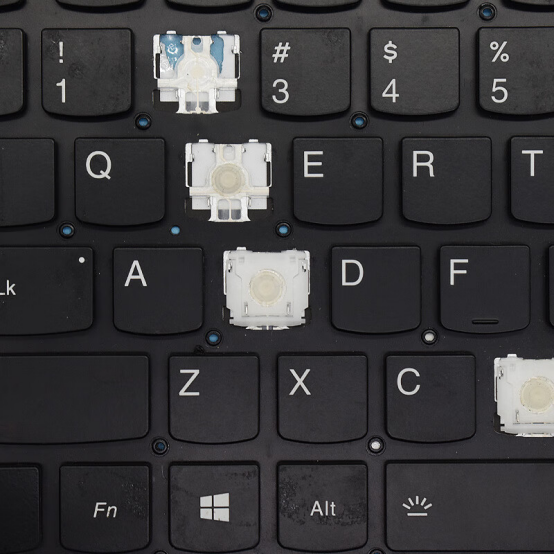
Last week, when rushing to come up with a plan, the four keycaps of the keyboard suddenly fell off and could not be installed for continued use. The external keyboard was also inconvenient to take out... The official after-sales quotation is 1000, and we have to wait for another week
Three options were compared: official after-sales service (long waiting time, expensive but worry free), DIY (cheap but risky), and replacing the computer (the most expensive)
My choice: do it myself.
But it's not an easy task to replace this built-in keyboard by yourself.
Firstly, it is necessary to clarify the laptop model, keyboard part number, and version (language, backlight, and framed)
How to find the laptop model and keyboard part number?
(Don't worry if you can't find the keyboard part number, we have prepared a list of keyboard part numbers for you to review)
The most reliable way to find a computer model is through physical labeling (without the need to power on)
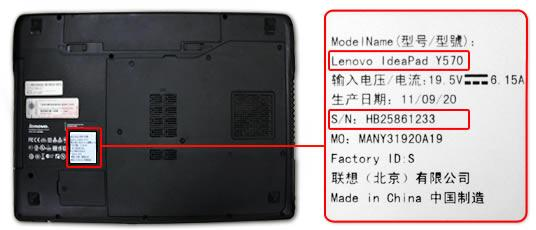
Flip the notebook and find the sticker on the bottom (D side):
Computer model: Usually labeled with Model No. or product model, such as Y570.
Some ultrabooks or gaming laptops have smaller lettering and may be printed near the pivot or edge.
If the bottom shell is not available, you can remove the battery (if removable) and check the stickers inside the battery compartment.
The part number of the keyboard is usually printed on the back of the keyboard and is a self-adhesive label affixed by the manufacturer (such as Lenovo, Dell, HP).
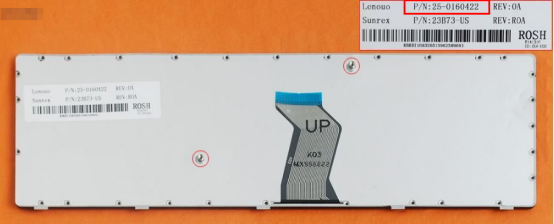
(The red area in the label box is the part number of this keyboard)
Then, choose a legitimate channel to purchase laptop keyboards (our website has a complete range of keyboard models for reference)
https://www.laptop-parts.com/lenovo-y570-black-frame-black-21004/
The highlight is how to remove the old keyboard and successfully install the new keyboard,
1. Shut down first, then unplug the power adapter. If the battery is detachable, be sure to remove it.
If the battery is built-in or unsure if it can be disconnected, it is recommended to skip to the following section for precautions.
Release residual charges: After unplugging all power sources, long press the "power button" on the laptop for about 15-20 seconds to release residual charges on the motherboard, which can effectively avoid short circuits.
2. Remove the keyboard: After unscrewing all the fixing screws or prying open all the buckles, gently lift the upper edge of the keyboard, being careful not to pull it directly upwards. The correct approach is to push the keyboard towards the screen, causing the lower edge buckle to slide out, and then rotate it upwards to lift it up. (The C-side buckle is very fragile, don't force a miracle)
3. Disconnect the cable: This is the most crucial step. After lifting the keyboard, you can see the flat ribbon cable connecting the keyboard to the motherboard. First, use tweezers or nails to gently remove the lock on the connector, and then pull out the cable parallel to the outside. Be careful throughout the entire process and do not force yourself.
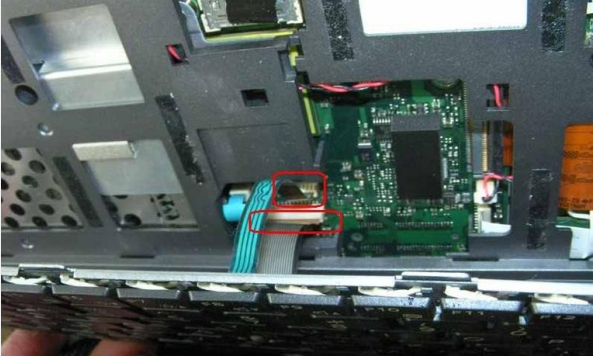
4. Place the gold contacts of the new keyboard cable facing downwards and smoothly insert it into the motherboard interface until it is fully inserted.
5. Press down the small lock buckle of the ZIF interface again and tighten the cable. Hearing a 'click' indicates that the lock is in place.
6. Place the keyboard into the slot of the body and align all the buckles. Then, starting from the top, press down evenly on the entire edge of the keyboard until all the clasps "click" into place.
7.If the keyboard is fixed with screws, please tighten all screws again.
⚠️ Key Points to Pay Attention to
Be sure to disconnect all power sources; Elegantly protect the wiring; Prevent static electricity (ESD);
Photo archive: Before disassembling, take several photos of key parts such as screw positions and cable connections with your phone, which will save a lot of energy for subsequent installation work
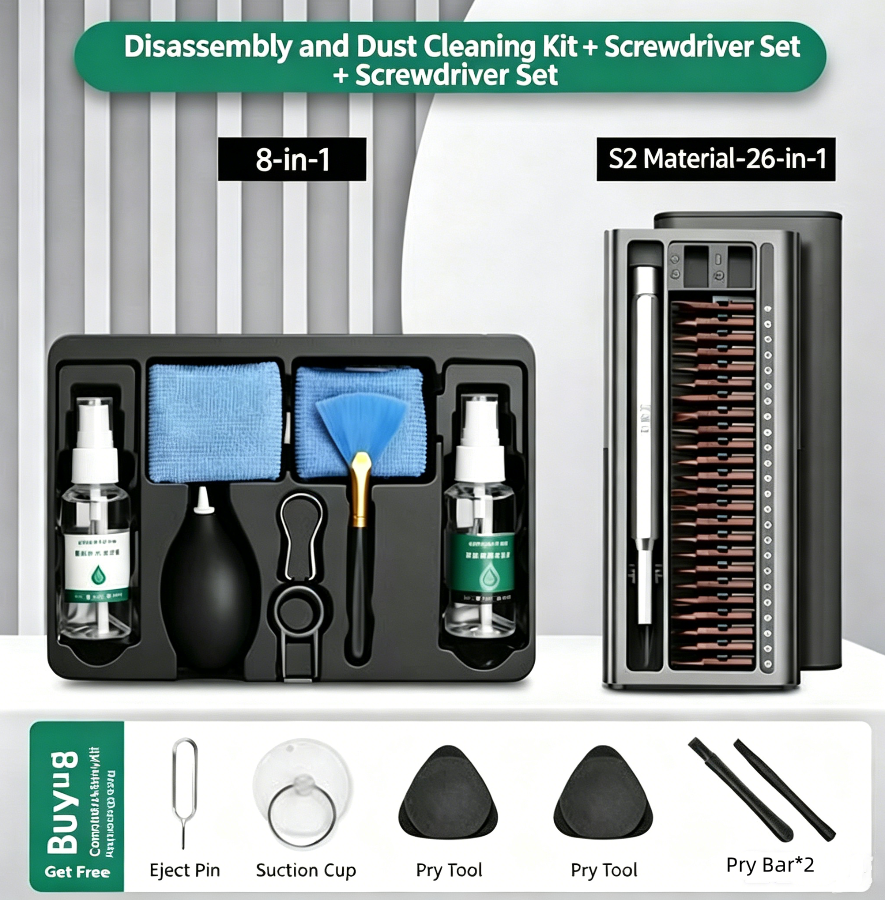
Tool list: pry blades, screwdriver models, purchase link for new keyboard (which can be your promotional link).
Precision cross screwdriver, plastic pry bar/pry piece, tweezers, screw storage box, plum blossom screwdriver (T5/T6/T8), metal pry bar/fine pry bar, key puller, anti-static measures, art knife/thin blade/suction cup, cleaning tool